




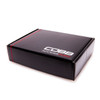
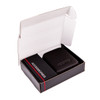
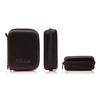
Product Description
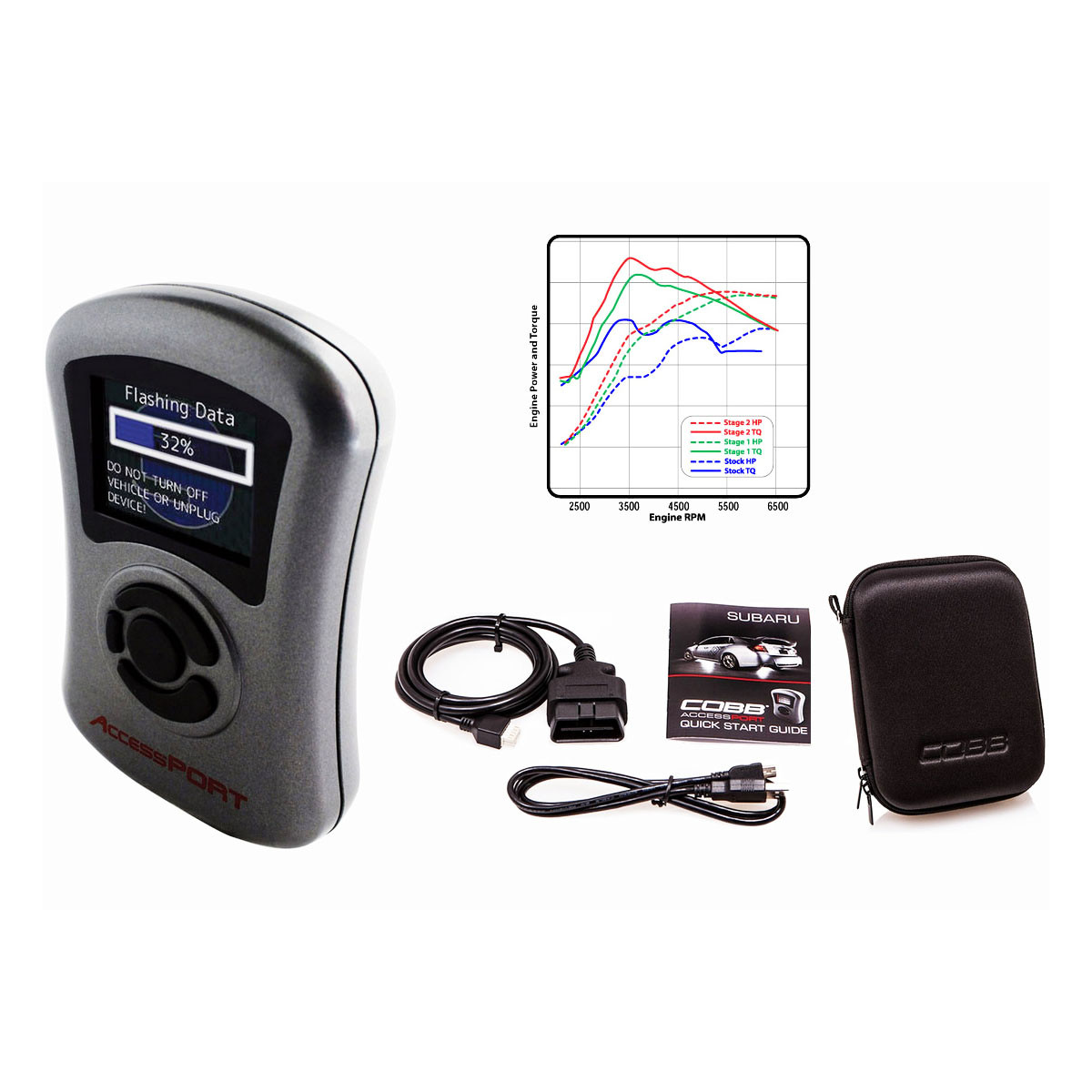
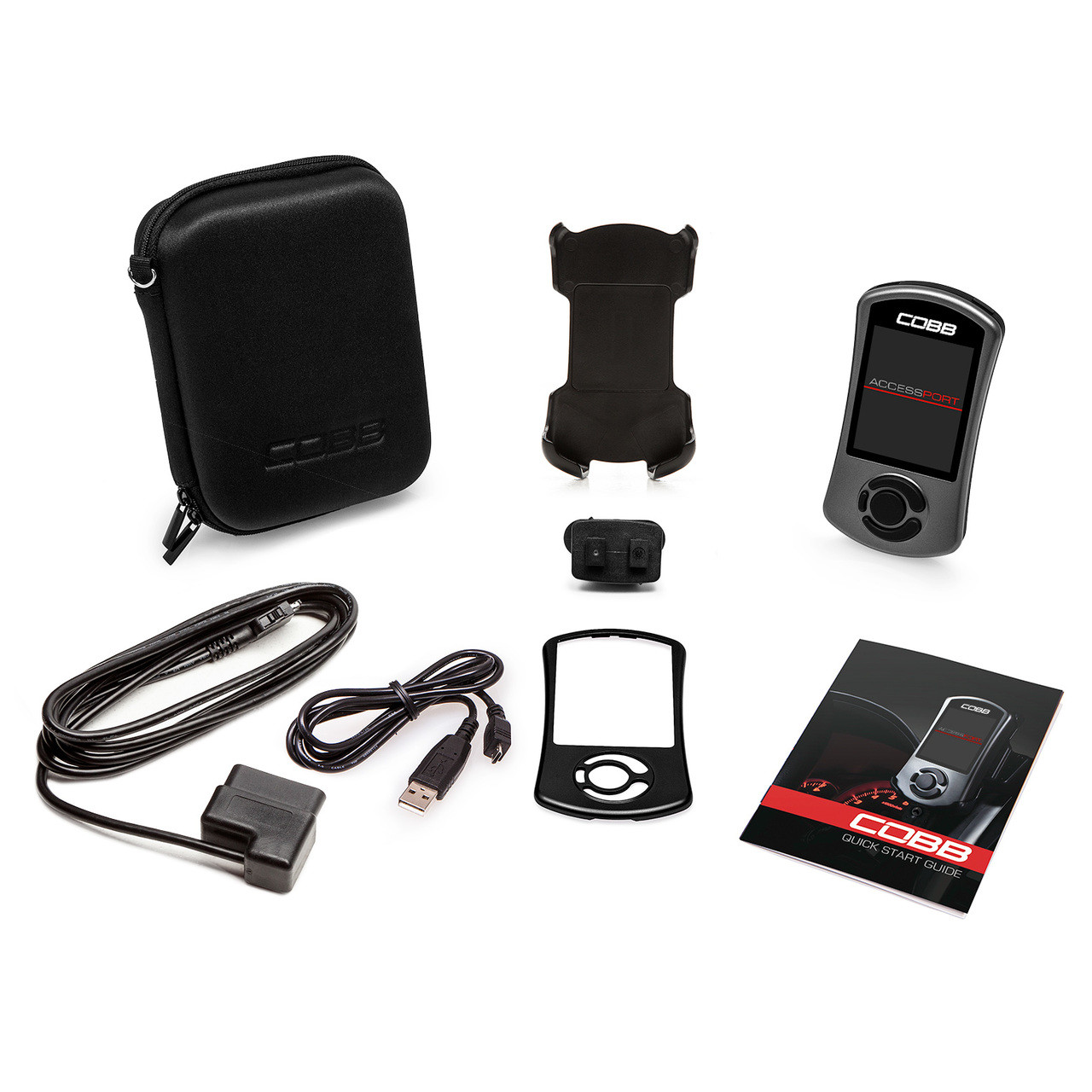
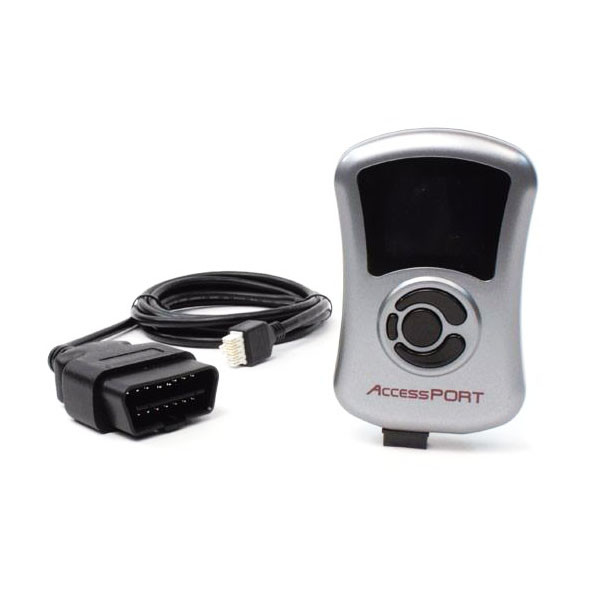
The Accessport is the world's best selling, most flexible, and easiest to use ECU upgrade solution for your Subaru WRX. Unlock power hidden within the vehicle by replacing conservative factory settings with more aggressive calibrations. Follow our staged upgrade path with pre-loaded Off The Shelf (OTS) maps or use custom mapping for any modification level. It's the last engine management solution you'll ever need.
Product Features:
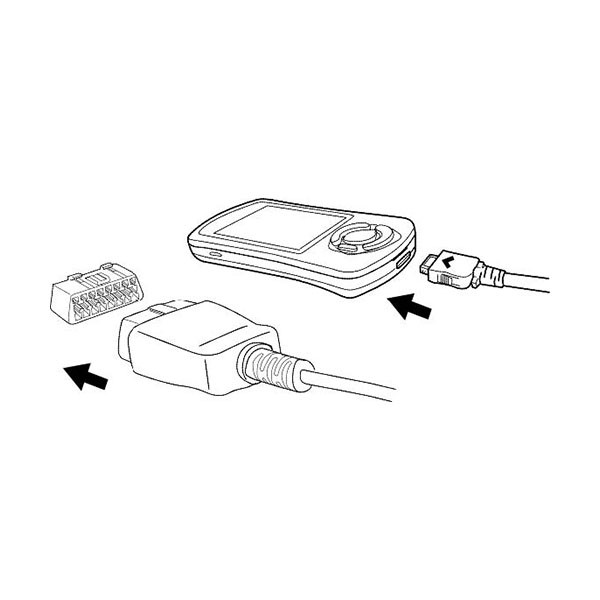
* Simple ECU flashing via OBD2 Port. Just Plug and Play!
* Same tuning software as the V3 Accessport for less money!
---
FITS:
* SUBARU FORESTER XT (2004-06)
* SUBARU IMPREZA WRX (2006-07)
* SUBARU IMPREZA WRX STI (2004-05)
* SUBARU IMPREZA WRX STI (2006-07)
* SUBARU LEGACY GT (2005-06)
* SUBARU OUTBACK XT (2005-06)
---
POWER. FLEXIBILITY. CONTROL. The AccessPORT is the industry leading OEM ECU flashing, managing and monitoring assistant. Unlock power hidden within the ECU by replacing conservative factory settings with more aggressive calibrations that provide impressive gains in torque and horsepower while maintaining a high degree of safety. The AccessPORT comes with pre-installed maps that are optimized for common performance modifications.
Tuning flexibility ranges from simply loading one of the included performance maps optimized for common performance modifications, all the way to complete custom map authoring using our powerful AccessTUNER software. Extract maximum power from virtually any modification while retaining the driveability and sophistication inherent in the OEM ECU.
---
Power
Modern vehicles are very sensitive to performance modifications. Simply changing an intake can have a dramatic, even degrading effect on performance and driveability. This is because modern ECUs (Engine Control Units) use very precise sensors to collect data in order to calculate appropriate fuel, ignition and cam phasing responses. Modifying a vehicle with performance parts will most likely cause one or more sensors to be improperly calibrated, feeding erroneous data to the ECU and contaminating the response. This is why changing a part as simple as an intake or a panel filter can cause the engine to run too lean, too rich, or even stumble.
The AccessPORT is the device that enables recalibration of sensors and manipulation of data on the factory ECU. It provides the capability to reflash select segments of information that are stored in the computer that control engine function. These segments of data that are written to the ECU are collectively referred to as maps. Our engineers and calibration specialists create maps that modify sensor calibrations, lookup table values and algorithms to ensure that the ECU is receiving accurate information and responding in an appropriate way.
COBB Tuning provides Off-The-Shelf (OTS) maps for the most common modifications made by performance enthusiasts. These OTS maps recalibrate the appropriate sensors and modify tables with more aggressive settings. The result is increased power output, improved response and better driveability, since all of the components are working together in harmony. It is the ultimate integration of performance and sophistication as the manufacturer's complex and precise engine management logic and ECU data integrity is retained.
The beauty of the AccessPORT is that it can continue to grow with additional modifications beyond the scope of the OTS maps. For more extreme modifications, COBB Tuning AccessTUNER software can be used to create custom tuned maps that match the modifications perfectly. COBB's extensive network of professional tuners are available to custom dyno tune any modification configuration. For those that want to take on the challenge of tuning their own vehicle, AccessTUNER Race is downloadable software with all of the tuning capabilities as used by our professional tuners.
---
Logic
Automobile manufacturers spend enormous amounts of money on the research and development required to create the complex engine management systems that are found in modern vehicles. They put significant effort into sophisticated logic that controls power output, fuel efficiency, exhaust emissions, hardware protection, self diagnosis, etc. Modern Engine Control Units (ECUs) are very refined and ensure proper engine operation at all times; cold starting, warm starting, extreme heat or cold temperatures, many different fuel blends and a wide ranges of altitudes. The manufacturer even builds in contingency plans to protect the engine in the event of sensor failures or other component failures by limiting power output until the faults are rectified.
The AccessPORT seamlessly integrates with the manufacturers solution. The AccessPORT changes specific table values in order to recalibrate sensors and optimize fuel, ignition and cam phasing to generate safe and reliable power gains. Stock logic is retained so that the ECU continues to operate as the manufacturer intended. This translates into impressive power gains with all of the intelligence, sophistication and protection that the manufacturer built into the system.
In some cases the factory ECU just was not designed to support some of the functionality that enthusiasts desire. For these situations, COBB Tuning develops and tests additional logic that allows for different functionality should the user want it. This can range from implementing flat-foot shifting, launch control, MAP based tuning or disabling DTC codes, limp modes and limitation tables.
The AccessPORT delivers many features found only in a stand-alone ECU with all of the sophistication and reliability found in a factory ECU.
---
Integrity
High performance cars are meant to be fun, but as performance increases, so does risk. The automobile manufacturers have developed data checking algorithms on their Engine Control Units (ECU) to ensure that the data held within is intact. With more and more of the vehicle's systems being controlled electronically by the ECU, including throttle control, it is increasingly important to detect corrupt data and intercede in an appropriate fashion.
COBB Tuning puts forth significant effort to maintain the factory data integrity functions of the ECU. Start-up checksums remain in place while using the AccessPORT, unlike many other reflash tuning solutions which simply zero out the checksums in order to trick the ECU without verifying data integrity.
Validating ECU data integrity is a critical component in maintaining a high degree of safety for internal engine components as well as personal safety. Consider the effects that corrupt data can have in drive-by-wire throttle control on a high horsepower car or the fueling tables in an expensive motor build and the implications are clear.
AccessPORT tuned cars retain these important safety checks as deemed necessary by the manufacturer.
---
Check Engine Light or DTC Defeat
Off-road motorsport racing activities do not have the same strict rules regarding engine emissions and safety warnings required for street use. The AccessPORT enables the user to turn off certain Diagnostic Trouble Codes (DTC) related to emission controls and other warnings that can be distracting in motorsport racing environments.
Disabling the DTC's that are irrelevant in racing keeps the DTC warning lamp useful for when other more important trouble codes are found.
---
Simple Installation
The AccessPORT is one of the easiest modifications you can make to your high performance vehicle. On a scale of one to four wrenches, the AccessPORT is half a wrench. Drawn in crayon. No tools are needed and no computer connection is required. Just plug the AccessPORT into the OBD-II port under the dashboard and follow the simple step-by-step on-screen instructions. In just a few minutes you will have a new performance map loaded on your ECU and you will be ready to experience the additional power and driveability of a proper tune for your modifications.
---
Change Maps
The AccessPORT can store up to 20 maps so you can be ready for any challenge. Use the Change Map function to browse the maps stored on your AccessPORT and select the map most appropriate for what you want to do. Parking your car overnight? Load the Anti-Theft map. Handing your car over to a valet for dinner? Switch to the Valet map to prevent abuse. Running down the drag strip to beat your last ET? Fill up the tank with race gas and load up your race fuel map. Heading out on a long boring highway drive? Perfect time for that fuel economy map.
It's like an MP3 player for your engine. The "songs" are maps and the "music" plays through the exhaust! What song is up next? You decide.
---
Base Maps
e AccessPORT comes pre-loaded with maps to get you on your way, right away. Once the AccessPORT is installed on your car, you will have the following base maps to choose from:
Stock Mode: The stock mode map uses the same calibrations that came from the factory. The stock mode map is a great way to re-establish a baseline when comparing tunes as it lets the engine behave the same way it did before installing the AccessPORT.
Stage 1 Maps: These maps are performance maps that are designed for vehicles with no engine modifications or mild modifications such as a cat-back exhaust.
Stage 1+ Maps: These are performance maps for vehicles with an upgraded intake system. Aftermarket intakes can dramatically change the airflow pattern across the MAF sensor which can generate incorrect readings and make the engine run lean or rich. A Stage 1+ map recalibrates the MAF sensor for the specific aftermarket intake system you are using.
Stage 2 Maps: These maps are geared towards performance upgrades that reduce restrictions in the exhaust system. If you have replaced the factory downpipe from the turbo, added race headers or replaced the factory catalytic converter with a high flow cat, a Stage 2 map is what you are looking for.
Stage 2+ Maps: These maps address both upgraded intake modifications and the high flow exhaust enhancements of Stage 2.
For even more map selection, be sure to visit our Online AccessPORT Map Database. Click on the Maps and Map Notes button that corresponds to the manufacurer of your vehicle. Here you will find many more maps that are designed for additional aftermarket parts manufacturers, race fuels, turbo upgrades, ethanol and more!
---
Performance
Every AccessPORT has built in Performance Monitors. These are great for showing the performance of your vehicle in the current state of tune with the modifications you have installed as well as helping to quantify performance gains when you make additional modifications. These are also great tools to help you improve your skills at the drag strip. It's like printing off your own time slip any time you want!
The following Performance Monitors are available:
60' Time: Elapsed time to 60' distance. Indicates how well your car is hooking up off the line.
330' Time: Elapsed time to 330' distance.
0-60 mph: See where your car stacks up against the 0-60mph times published in the major car magazines.
1/8 Mile: Elapsed time and vehicle speed at 1/8 mile distance (660').
1000' Time: Elapsed time to 1000' distance.
1/4 Mile: Elapsed time and vehicle speed at 1/4 mile distance.
Dynamometer: This monitor simulates a dynamometer. Based on vehicle weight and acceleration rates, it estimates the horsepower of your engine. This is a great tool for evaluating performance gains after completing new modifications or installing a different performance map.
---
Data Logging
The AccessPORT functions as a hand-held data logging device. There is no need for a clunky PC to ride shotgun with you in the passenger seat. Just plug the AccessPORT into the OBD-II port, select Data Logging from the menu and choose which monitors you wish to data log. Choose as few or as many monitors as you like. Hit enter and data logging begins. Once the data gathering is complete, hit the enter button again. The data is stored as a data log file within the AccessPORT. The AccessPORT can store up to 10 individual data logs and the combined duration of data logs can be up to 10 hours.
The data logs are stored on the AccessPORT for as long as you want them there. Just unplug the AccessPORT and put it in your pocket, back-pack or briefcase. Your data goes with you with all the portability of an MP3 player. To analyse the data, simply plug the AccessPORT into any PC and download the data logs. The data can then be imported into your favorite spreadsheet or graphing software for detailed analysis.
Data logging monitors consist of both raw data types and calculated data types. Some examples of data logging monitors are throttle position, boost, ignition advance, wastegate duty cycle, mass air flow, fuel trim, battery voltage, intake temperature, coolant temperature, injector duty cycle, air/fuel ratio, knock correction, knock learning, injector pulse width, calculated load and many more. When logging multiple monitors, it is easy to see how powerful a tuning and performance analysis tool AccessPORT Data Logging can be.
Data Logging monitors aren't available on all applications.
---
Live Data
The Live Data feature allows you to view sensor data and calculated values in real-time right on the AccessPORT. There is no need for a clunky PC to ride shotgun with you in the passenger seat. Just plug the AccessPORT into the OBD-II port, select Live Data from the menu and choose a monitor to view. Any monitor that can be data logged can also be viewed in real time using this feature. Live Data can function as an auxilliary gauge to supplement the stock gauge cluster, or it can be used to help in fine tuning custom tunes.
Unlike dedicated auxilliary gauges that can clutter up your dashboard, the AccessPORT functions as a soft gauge, allowing you to decide what gauge to display. Some examples of possible gauges are throttle position, boost, ignition advance, wastegate duty cycle, mass air flow, fuel trim, battery voltage, intake temperature, coolant temperature, injector duty cycle, air/fuel ratio, knock correction, knock learning, injector pulse width, calculated load and many more. As you can see from this small sampling, some of these monitors would be impossible to duplicate with a traditional auxilliary gauge.
The AccessPORT also has a full fuel economy suite built in for live viewing. Keep an eye on your Instantaneous Fuel Economy to see how your driving inputs affect fuel consumption. This is a great tool for helping you develop a high fuel efficiency driving style. Average Fuel Economy shows your fuel mileage for the current trip you are on. The Accumulated Average Fuel Economy shows the overall fuel mileage across multiple trips. The Reset Fuel Economy feature can be used to zero out your Average and Accumulated Average Fuel Economy and lets you start again.
As an added bonus, the AccessPORT screen can also function as a Rev Warning Light. Simply enter the RPM you want the Rev Warning Light to activate at. The screen will brightly flash red and white to alert you when that RPM has been reached, while simultaneously showing a Live Data monitor!
Live Data monitors aren't available on all applications.
---
ECU Settings
The AccessPORT is unique in the tuning world as it gives the user the ability to control exciting ECU functions from a hand-held device. Configure launch control, flat foot shift, adjust idle and adjust timing through the easy to use on-screen interface of the AccessPORT.
* Launch Control: This ECU setting adjusts the rev limit of the car while attempting to launch from a stop. The user can adjust the RPM that the engine maintains while at wide open throttle and the clutch is in. The speed that launch control disengages can also be configured.
* Flat Foot Shift: Flat foot shift is logic added to the ECU to control engine RPM during a gear shift with the throttle held wide open. The user can adjust the RPM that the engine maintains while the clutch is depressed at WOT. This allows boost to be maintained between shifts and generates faster acceleration.
* Adjust Idle: Allows user to adjust engine idle via the AccessPORT. Some applications even allow idle changes for air conditioning on and off separately.
* Adjust Timing: Allows ignition timing adjustments to be made across the rev range via the AccessPORT.
Not every application supports all of these features.
---
Trouble Codes
The AccessPORT allows you to read engine codes to help troubleshoot issues and potentially save you from an expensive trip to the dealership. A brief description of the trouble code is also provided, which is handy when you don't happen to have a shop manual in your pocket.
The AccessPORT will read any trouble code reported by the ECU. In most cases this equates to hundreds of trouble codes and descriptions to help diagnose issues where ever you may be. Once the issue is resolved, the AccessPORT can be used to clear the codes to turn off the check engine light.
---
Uninstall
In the event that the car must be returned to the stock configuration, the AccessPORT can be completely removed and the ECU restored to its factory condition. Once the AccessPORT is uninstalled, it can be installed on a different vehicle of the same make/model/year. Since the AccessPORT can be uninstalled, combined with the ability to update the AccessPORT firmware via the internet, it retains a high resale value.
---
Interactive
The AccessPORT is the most user friendly and interactive ECU tuning solution available for your high performance import. Using the AccessPORT is incredibly simple. The vibrant full color screen, intelligent menu architecture and intuitive button interface work together to provide seamless navigation. It can easily be mounted to the dashboard for on-the-fly use and viewing.
This is good, because there is a lot the AccessPORT is capable of aside from reflashing your vehicle's ECU for significant power gains. These are some of the ways you can continue to use the AccessPORT after the map is flashed to your ECU:
Set as a Rev Warning Light
* Use as a shift light.
* Set desired RPM to trigger.
On-Screen Sensor and Data Monitoring
* Use as an auxiliary gauge.
* Select from many channels to view live data.
On-Screen Performance Measurement
* 0-60mph timer.
* 1/4 mile electronic time slip (60' time, 330' time, 1/8 mile ET and trap, 1000' time & 1/4 mile ET and trap).
* Simulated dynamometer measures modification gains.
On-Screen Diagnostic Trouble Code Tool
* Read ECU trouble codes and trouble code definitions.
* Reset trouble codes to turn-off check engine light.
On-Screen Map Library Viewing
* Read details of the currently installed map.
* Browse and read details for every map loaded on the AccessPORT.
* Select and load any of up to 20 maps stored on the AccessPORT.
On-Screen Fuel Economy Gauge
* Instant Fuel Economy lets you see how your driving inputs affect fuel mileage.
* Average Fuel Economy shows fuel mileage for current trip.
* Accumulated Average Fuel Economy shows fuel mileage spanning multiple trips.
* Reset Average and Accumulated Average Fuel Economy to start over.
Initiate Data Logging
* Log data from any of many sensor and calculated data monitors.
* Start and stop data logging sessions with the push of a button.
* Configure sampling rate for each data monitor.
* Store up to 10 data logs with up to 10 hours of data recording.
On-Screen ECU Settings (for some applications)
* Launch control adjustment.
* Flat foot shifting adjustment.
* Adjust idle RPM.
* Adjust global ignition timing.
The AccessPORT is ready to go when you are. Right out of the box, simply plug it into your car's OBD-II port and install. No tools or special skills are necessary. It's small size makes it very portable, easily fitting in a shirt or pants pocket. And the full color screen and simple intuitive interface gives you the power to control your ECU right in the palm of your hand. In multiple languages.
Take up to 20 map calibrations with you on the run. All of your maps can come along for the ride. Easily experiment with different launch control settings without the hassle of a computer. Keep a high boost map, aggressive timing map and a race gas map with you and load when needed.
The AccessPORT comes with many maps pre-installed. These maps cover many of the most common modifications performed by fellow enthusiasts. There are also maps included to protect your vehicle from abuse. Load the Anti-Theft map to prevent your car from being started when you are away. Or load the Valet map which limits revs and boost when you are out on the town and your car is in the hands of someone else.
When the time comes to return your car back to its original stock condition, the AccessPORT can be completely uninstalled in just a matter of minutes. It just takes a push of a button and no tools or computer are needed.
The AccessPORT is the ultimate hand-held ECU flashing, managing and monitoring device. It just doesn't get any easier than this!